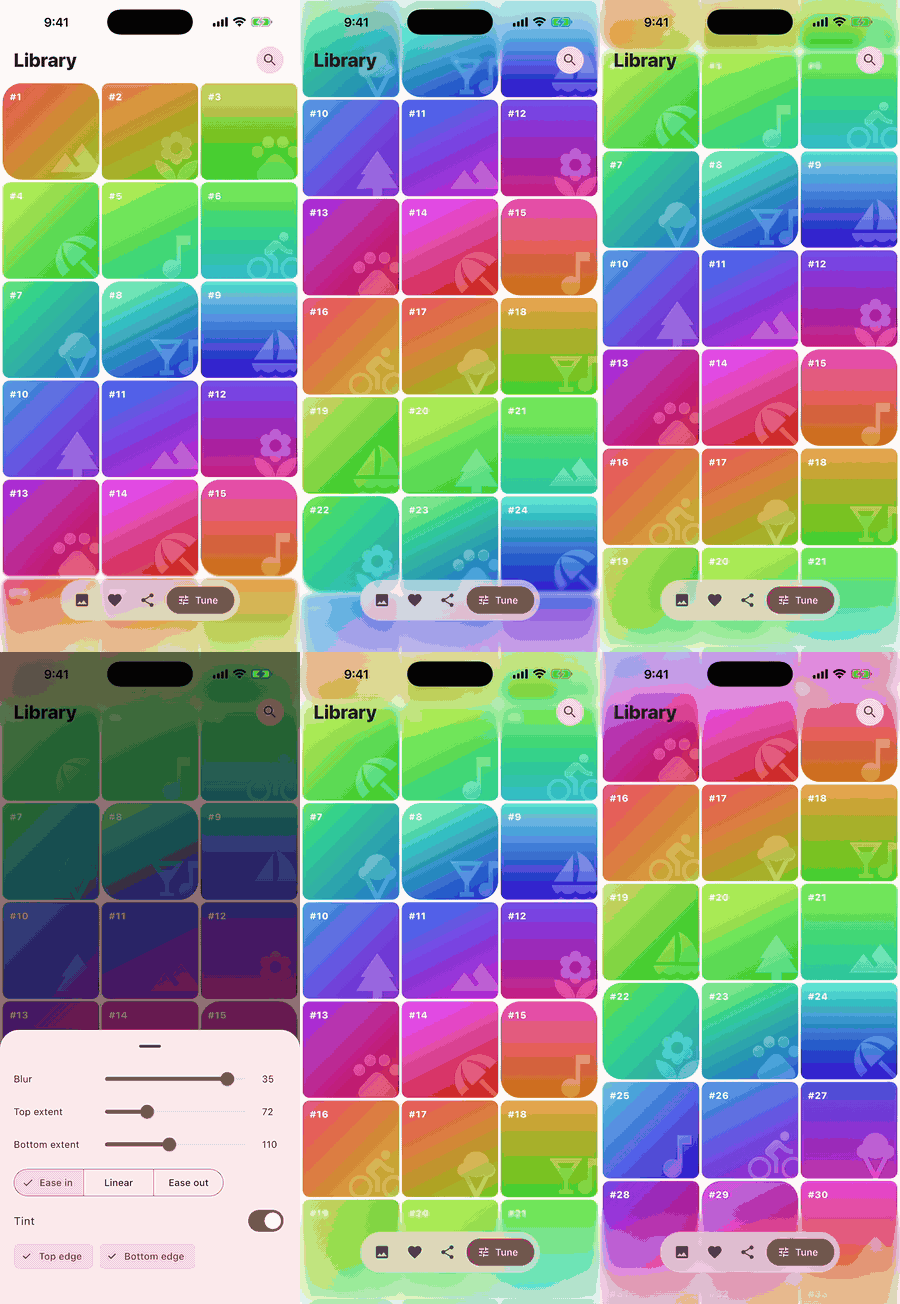
iOS style progressive blur for scroll views, toolbars and headers. A GPU shader on the backdrop of the edge band only, so it stays cheap while everything scrolls.
Scroll this page and look at the top. That's the idea, done properly in Flutter with a real variable radius blur.
Variable radius Gaussian on any edge: top, bottom, left or right, with any Curve for the falloff.
Runs on the backdrop. Content is never re-rendered into an image, so lists, video and maps keep moving.
ScrollEdgeBlur wraps a scroll view and handles layout and safe areas for you.
EdgeBlur works under headers, toolbars and overlays. Touches pass straight through.
Optional tint mixed in toward the edge, and a gradient fallback where shaders aren't available.
Nothing besides Flutter itself. Requires Flutter 3.29 or newer.
Wrap your scroll view. The top edge, status bar included, blurs by default. Turn on more edges and style each one.
ScrollEdgeBlur( child: ListView(children: items), ) // optional: load the shader before the first frame Future<void> main() async { WidgetsFlutterBinding.ensureInitialized(); await EdgeBlur.precache(); runApp(const MyApp()); }
ScrollEdgeBlur( top: const EdgeBlurStyle(extent: 72, sigma: 16), bottom: EdgeBlurStyle( extent: 110, tint: Theme.of(context) .colorScheme.surface .withValues(alpha: 0.5), ), child: GridView.builder(...), )
| EdgeBlurStyle | Default | What it does |
|---|---|---|
extent | 96 | How far the blur reaches in from the edge. The safe area is added on top. |
sigma | 16 | Blur strength right at the edge, in logical pixels. |
curve | Curves.easeIn | Falloff from the far side of the band to the edge. |
tint | null | Colour mixed in toward the edge. |
fallbackColor | null | Gradient painted where the blur can't run. |
400 colourful rows auto-scrolling at 900 px/s under a 140px top band, sigma 20. Average raster time per frame, lower is better.
Measured on the iPhone 17 Pro Max simulator (iOS 26.5, Impeller, Flutter 3.47) in debug mode, so treat these as relative numbers. The blur needs Impeller; EdgeBlur.isSupported tells you at runtime.